
Features
Everything below is in CTpos today. Anything on the way is marked "coming later".
Sales and payment
- Basket with quantity, discount and notes per line; discount on the whole sale
- Park sales; the basket survives lock, log-out or restart
- Cash, cash in euro, card on the terminal, MobilePay and customer account
- Split payment across several methods
- Open price and "price can be changed" per item
- Returns with and without a receipt
- Pro forma and receipt copies; receipts by e-mail
- Training mode where nothing counts as a sale
Orders and tags
- Drop-off with order number, pick-up date and time
- Tags per piece and your own tag layout
- Mark ready, text message to the customer and pick-up
- Order code as QR code or barcode on the receipt
- Online order status at the shop's own address
- Pay now or at pick-up
Discounts and campaigns
- Buy 3 pay for 2, x for a price, nth item discounted and bundle price
- Fixed discounts per category and discount shortcuts
- Customer discount applied automatically
- Discount limits per role with approval from a colleague
Customers
- Customer account, credit limit and "pay later"
- Invoice to the customer through Dinero or OFINDA
- Marketing consent with a timestamp
- Data export and anonymisation of customers
Till and reports
- Start of day, cash count, cash in and out, bank deposit
- Drawer control: the till sees whether the drawer is open
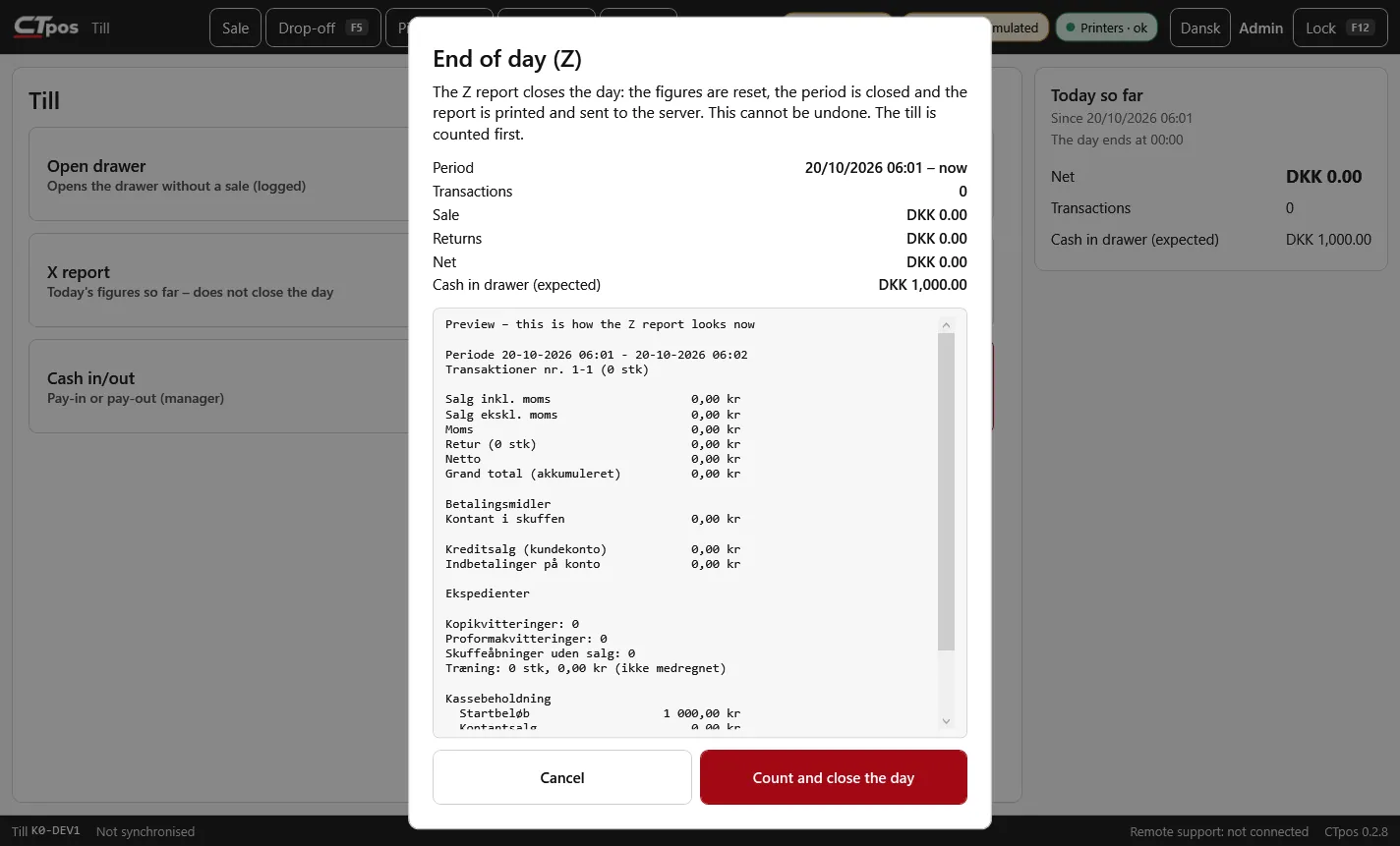
- X report and end of day (Z) with preview
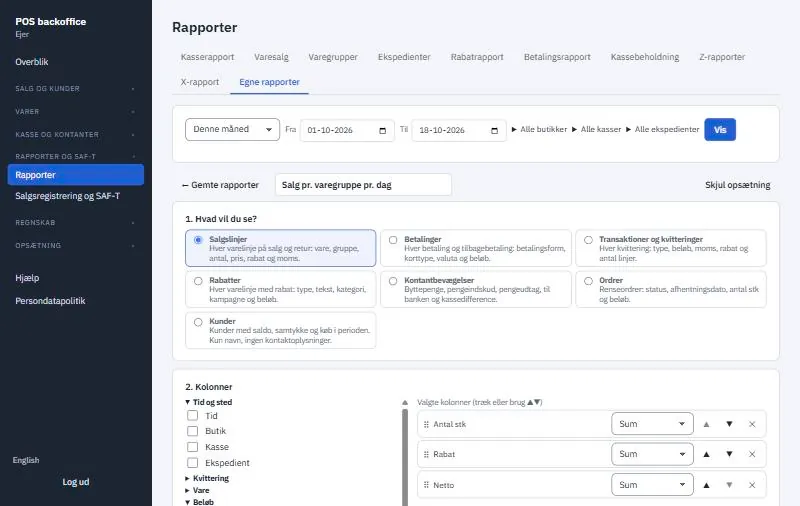
- Reports per shop, till, clerk, item group and payment method
- Custom reports with templates, grouping and filters
- Print, PDF, Excel, CSV and send by e-mail
- Scheduled sending of reports coming later
Items and prices
- Main groups and groups with an accounting account
- Import and export of items in Excel or CSV
- Deleted items can be restored
- Quick keys and item grid on the till
Staff and permissions
- Clerks with a PIN and an optional password
- Roles with permissions, also when the till is offline
- Approval from a colleague when a permission is missing
- Back office users with access to selected shops
Accounting
- Dinero: Z reports as vouchers, draft or booked
- OFINDA: Z reports as a cash journal
- Transfer per Z report, calendar day or business day
- e-conomic: Z reports in the journal with the Z report as a PDF attachment
- Expense receipts with a photo for cash withdrawals
Shops and opening hours
- Several shops and tills in one company
- Opening hours, breaks and closed days per shop
- Business day with automatic or fixed day change
- Colour schemes on the till, including your own colours
Hardware
- ESC/POS receipt printers such as the Epson TM-T20, 80 mm paper
- Label printers with a Windows driver such as the Brother QL-560
- Network printers shared by several tills
- Cash drawer via the printer
- USB or Bluetooth barcode scanner and camera
- Touch screen with on-screen keyboard
- Verifone payment terminals with CTpos Payment
Compliance and security
- Digital sales registration to SAF-T Cash Register
- SAF-T export in the official format (XSD v1.0.4)
- Signed journal with the till number on each sequence number
- Data processing agreement and retention rules (GDPR)
- Codes are stored only as hashes; camera images are not stored
Installation and operation
- Installer without admin rights and without .NET
- Automatic updates that install when it is safe
- Uninstall that keeps data
- Manuals and FAQs under Help in the system
Coming later
Announced, but not finished yet.
- Online payment when booking (hair and beauty)
- Refunds and cancellations on the terminal
- Cloud payment for restaurants and cafés
- PAX terminals with S5 and other terminals
- Scheduled sending of reports
See CTpos in your own shop
The price depends on the number of shops and tills. Book a demo, and we will show you the system and send you a quote.